
As I have been working on using Claude Code and our Information Product templating system to build and deploy Information Products for our customers I have found that I actually need to build out a Design System at the same time.
“One Shot BI Apps” aren’t good enough for us
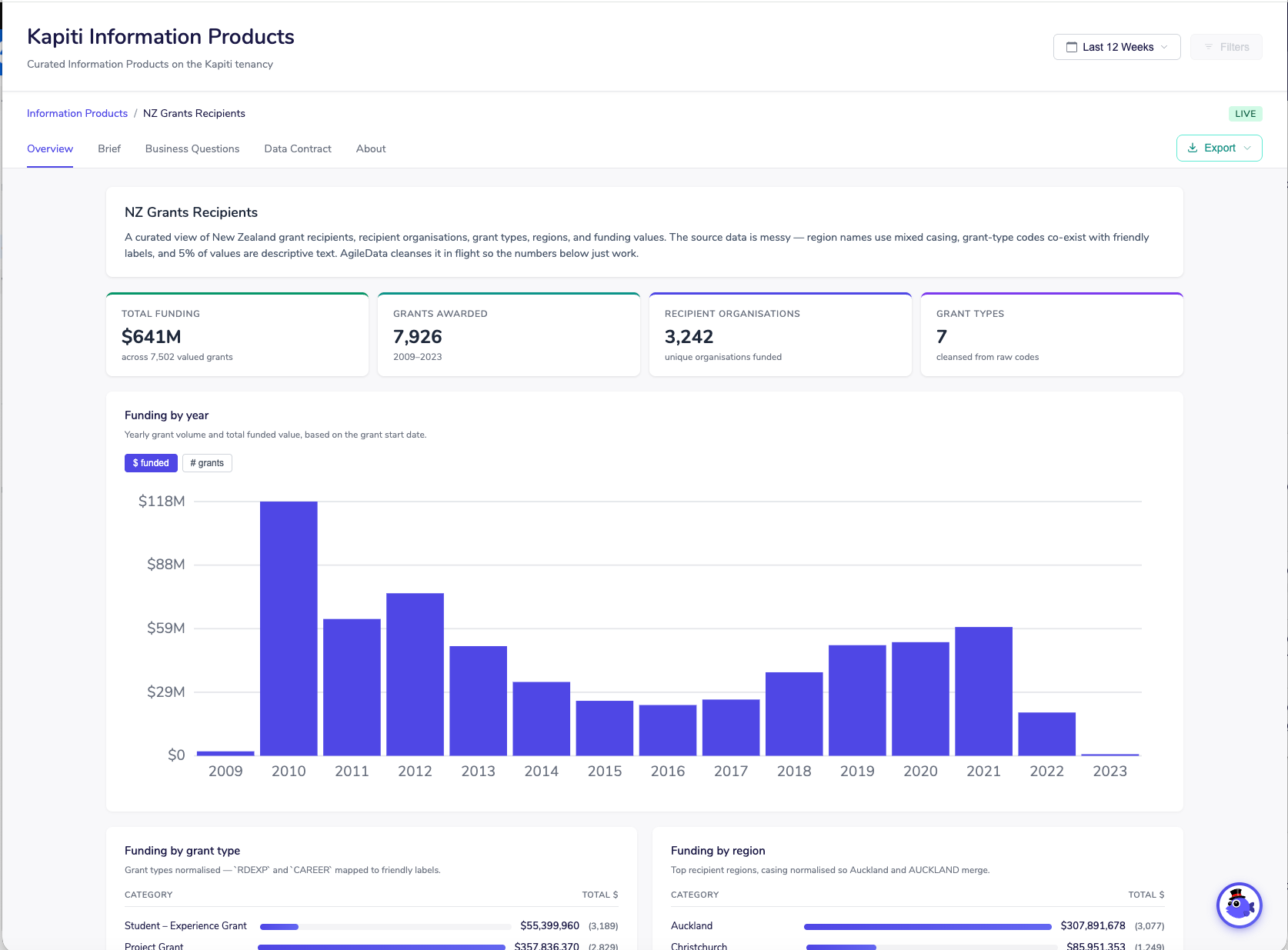
As I build and deploy Information Products in production, I have the benefit of the deployment and running of the Information Products being completely automated using the AgileData Information Platform templating system built by Nigel a wee while ago to enable this.
This means I can focus on what the Information Product front end looks like and what data and information it presents to our customers users, rather than how I deploy and manage them.
But as I build more of these Information Products in production I find the need to define and reuse ‘widgets’ in a repeatable way is becoming compelling.
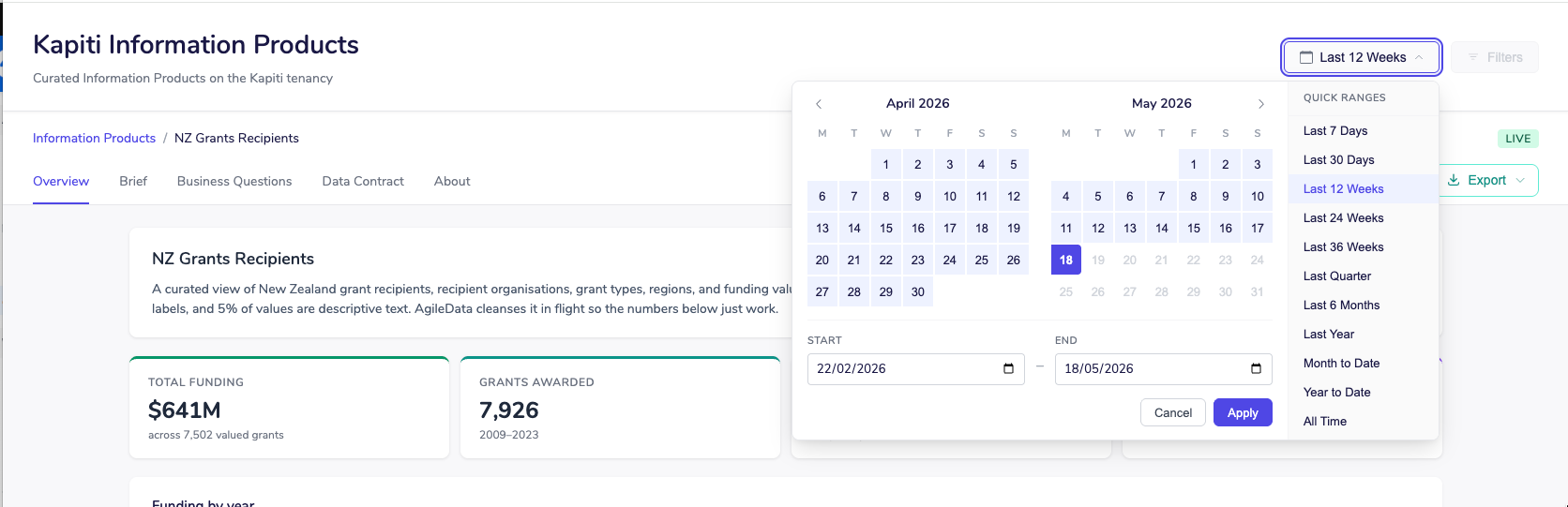
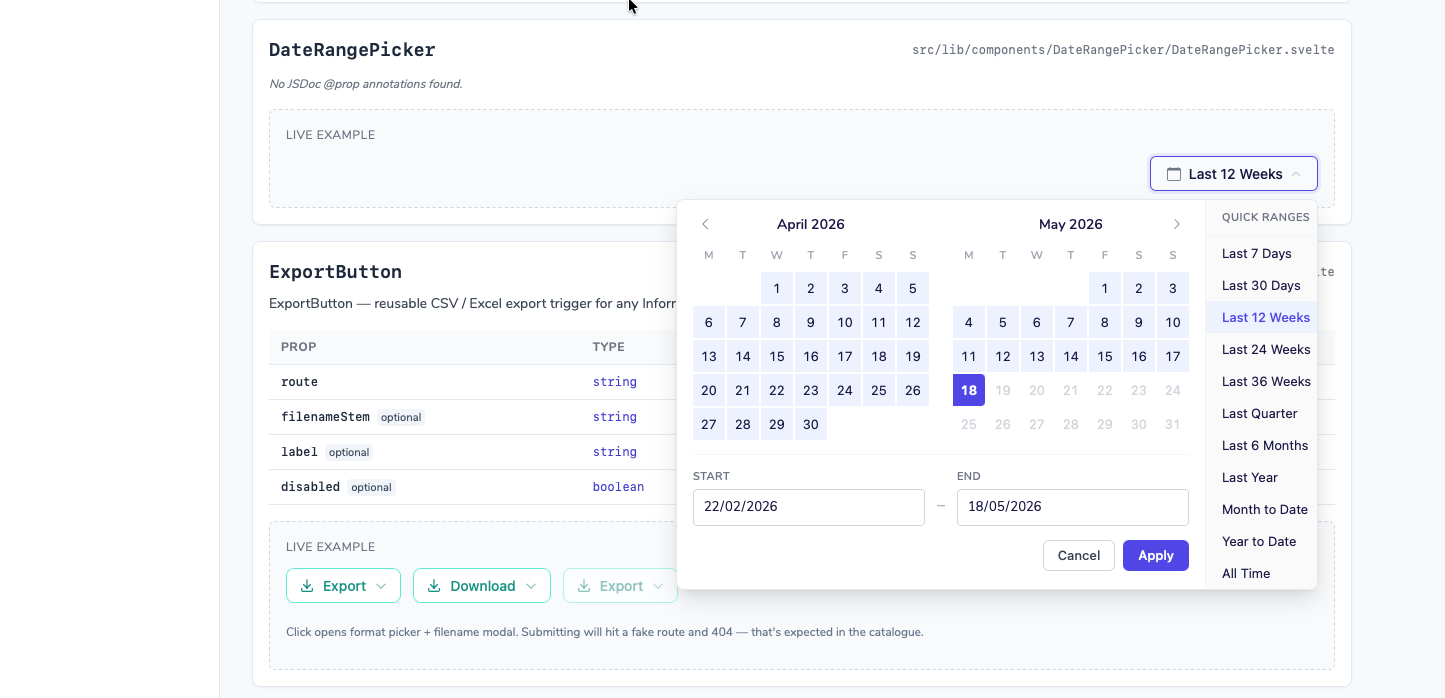
For example I typically need a Date Picker in an Information Product.
But I don’t want Claude Code to randomly generate a new one with different code, different features and different styles every time, I want a default and repeatable version that I can choose change or replace if I need to:
Same with Page Intro’s, I want a certain style:

And with KPI Cards, I want to be able to define a standard style and have all new Information Products use that style:

And in the near future when I add to the KPI Card component the ability to see period on period change, which I know I will be doing soon, I want all my Information Products I have already deployed to inherit that change, where it makes sense.
Define Once, Reuse Often (DORO)
This behaviour is just following our DORO (Define Once, Reuse Often) principle.
Design System
Luckily there is a well proven Pattern that solves this reusability problem called a Design System.
I am out of Claude Code tokens as I write this so over to my other friend Perplexity to find the quick answer for me:
A design system is a comprehensive collection of reusable components, standards, and documentation that guides consistent UI/UX development across an entire product or organization. Think of it as a single source of truth that allows designers and developers to speak the same language and build cohesively without starting from scratch each time
Claude Code of course has access to a lot of content about Design Systems and so with some simple prompts it can start to build one out as I am building Information Products.
There is a whole problem space on how you build these components in a way that can be inherited, but that is a problem and Pattern conversation I will write up in another article.
Making our Design System visible
One of the other challenges is we are not the only people reusing the AgileData Information Product templating capability.
Our AgileData Network partners also use it to build, deploy and manage Information Products for their customers.
So how do I let them know what Design System components are available so they can choose to reuse them, customise them, or ignore them and build their own?
Luckily again there is a proven Pattern that solves this problem.
Companies like Google solved it when they published their Design Systems like Material.
They created a website that let you explore and see the components that were available.
So that is the Pattern I reused.
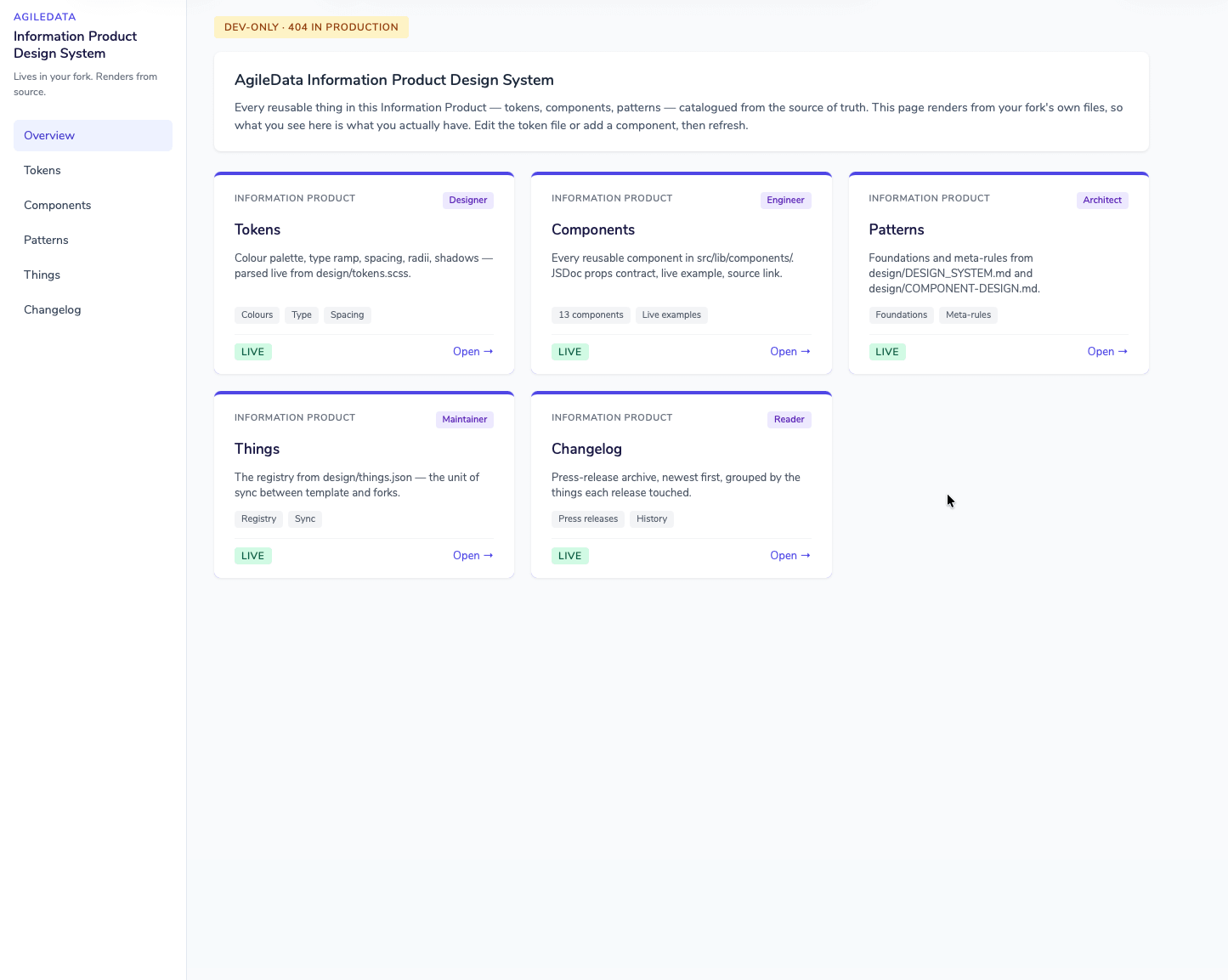
First an overview of the Design System Context.
Then each ‘thing’ is visible.
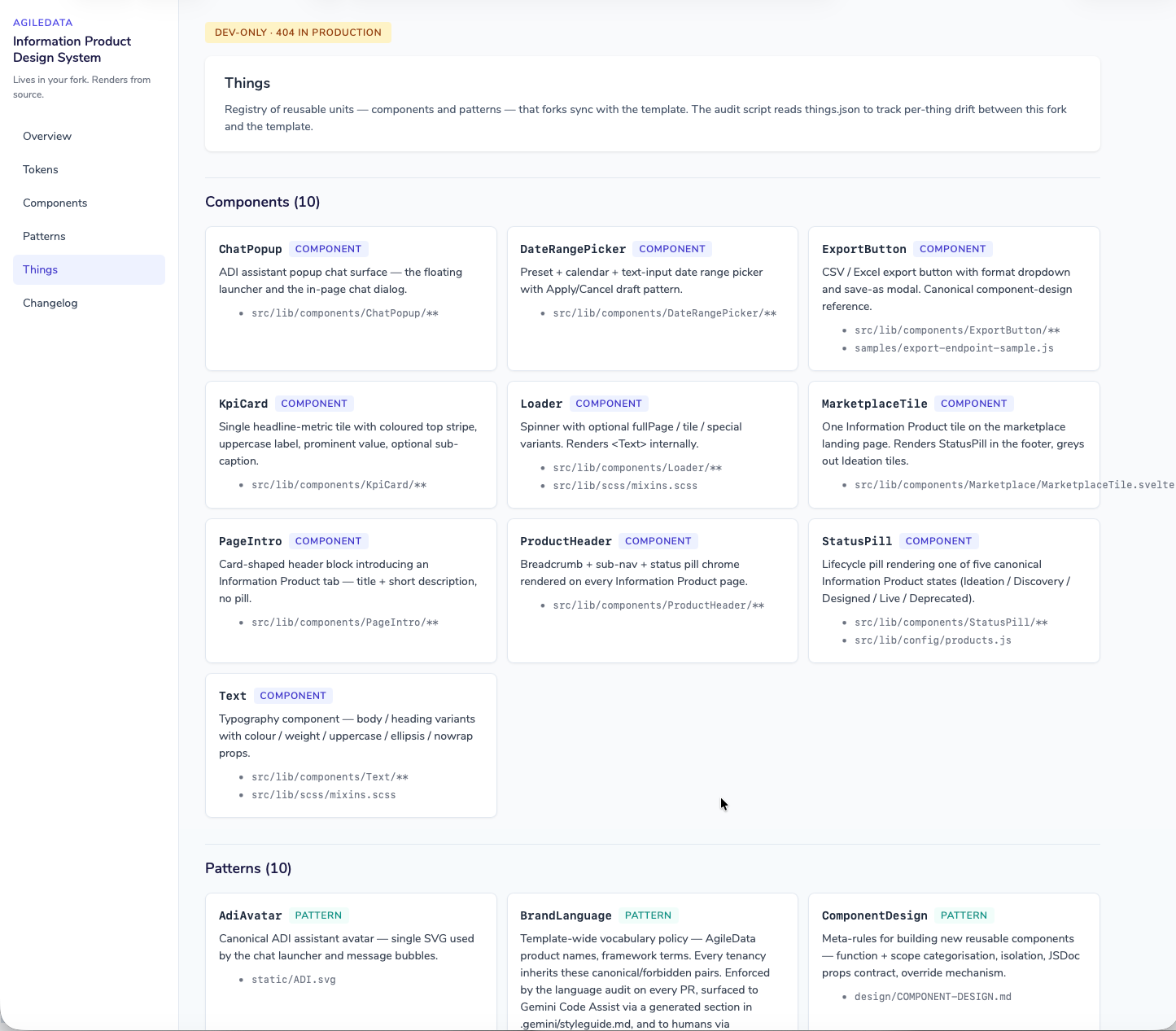
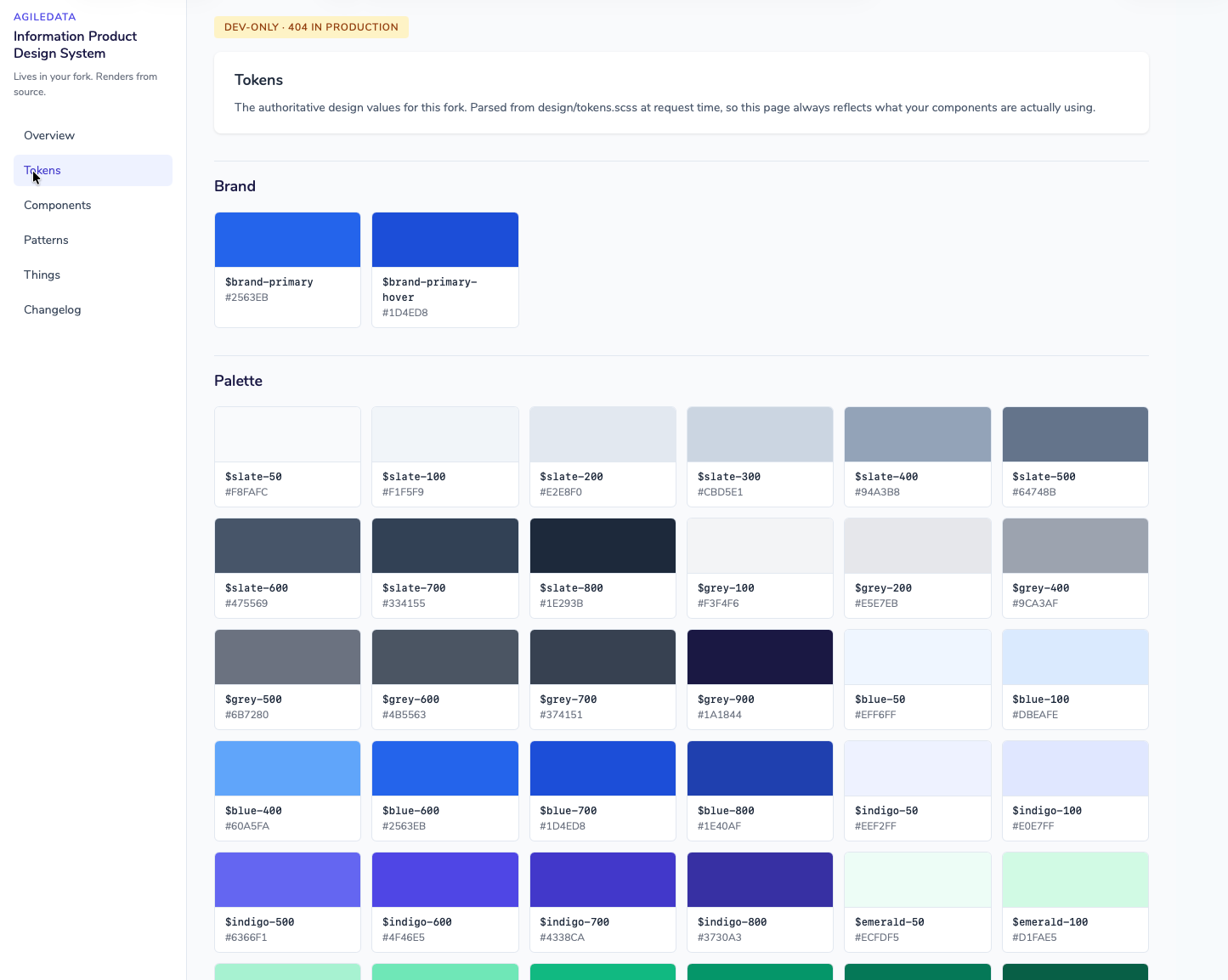
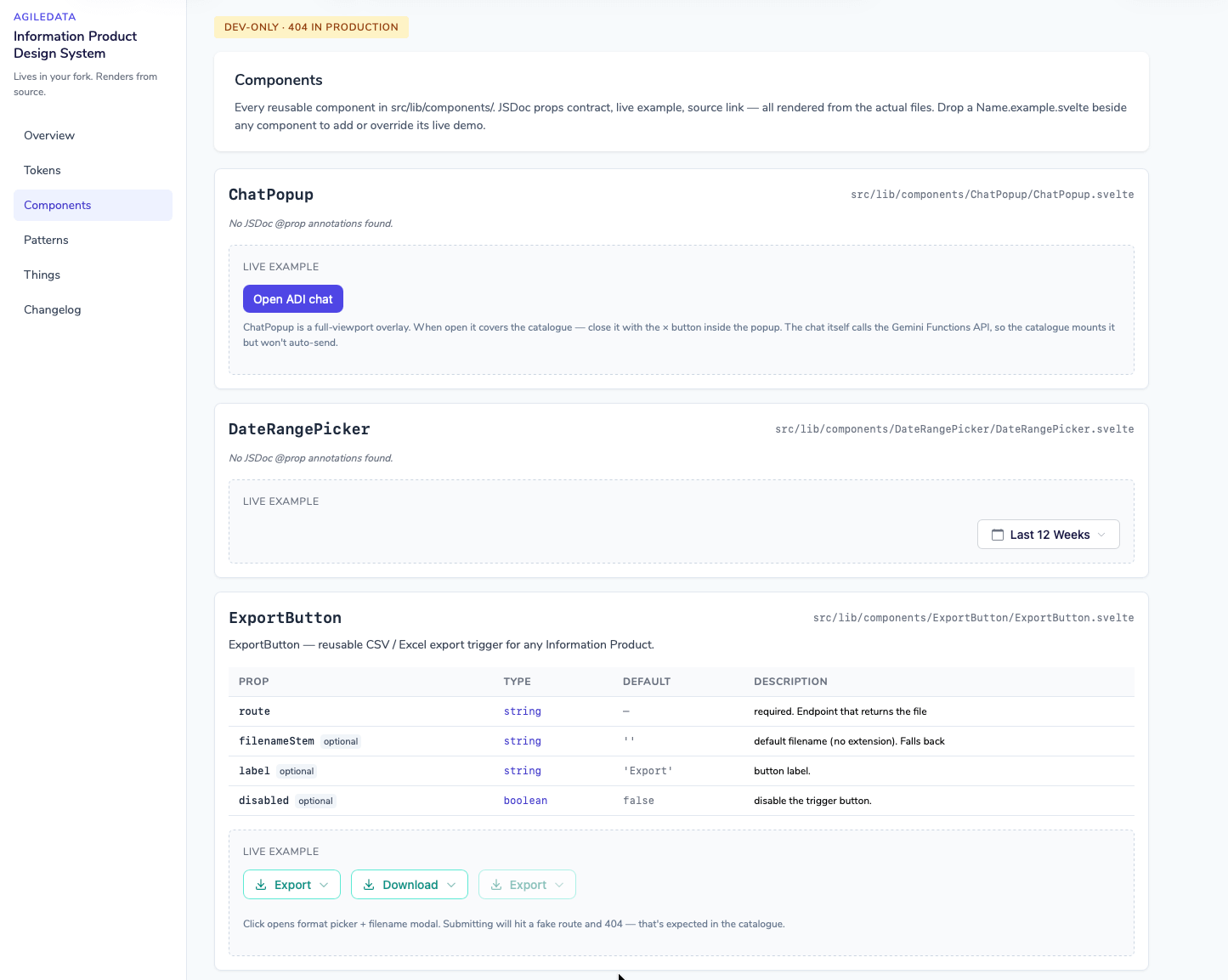
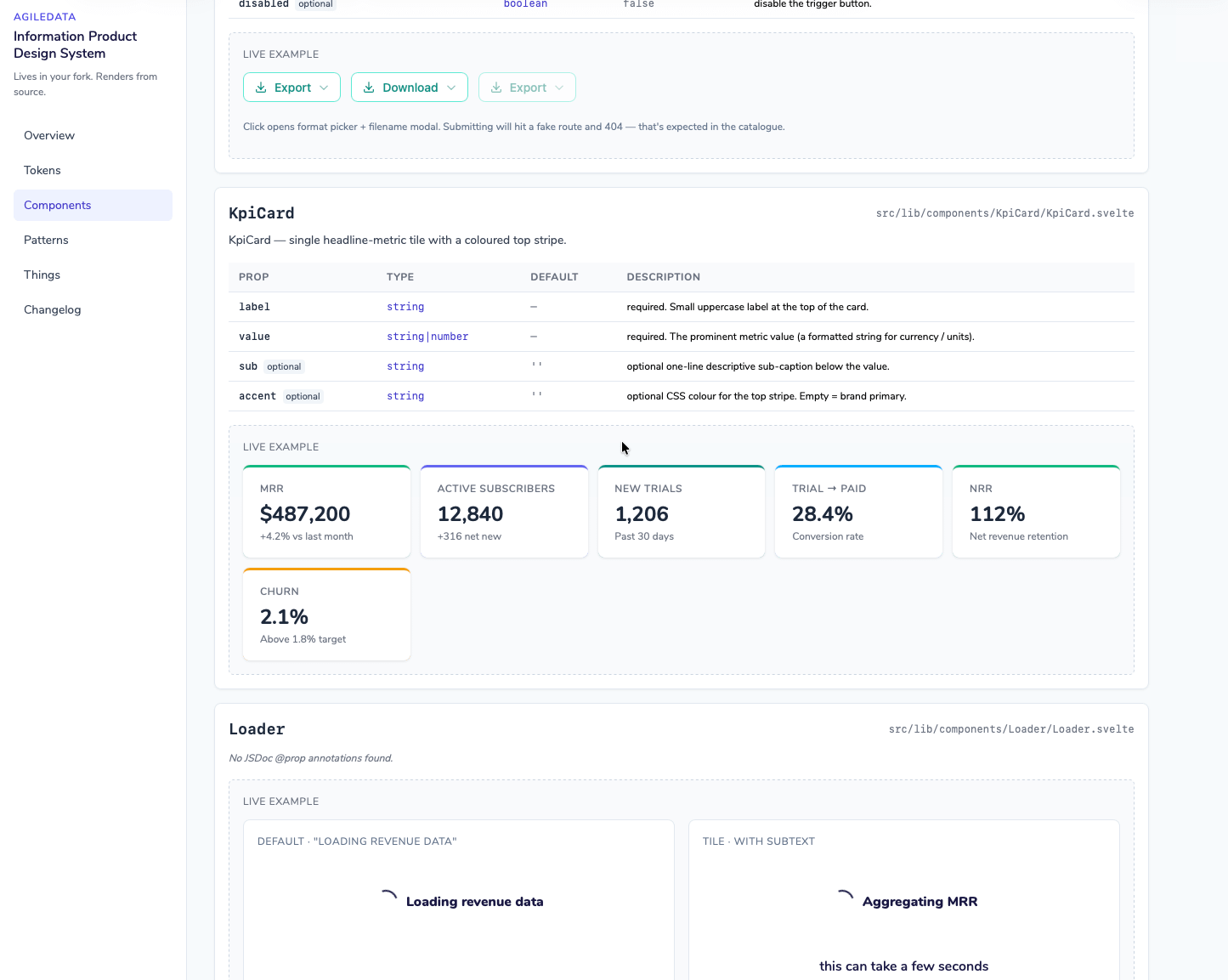
And each Component is interactive so you can quickly see how it works:
And then provide visibility as things constantly change:
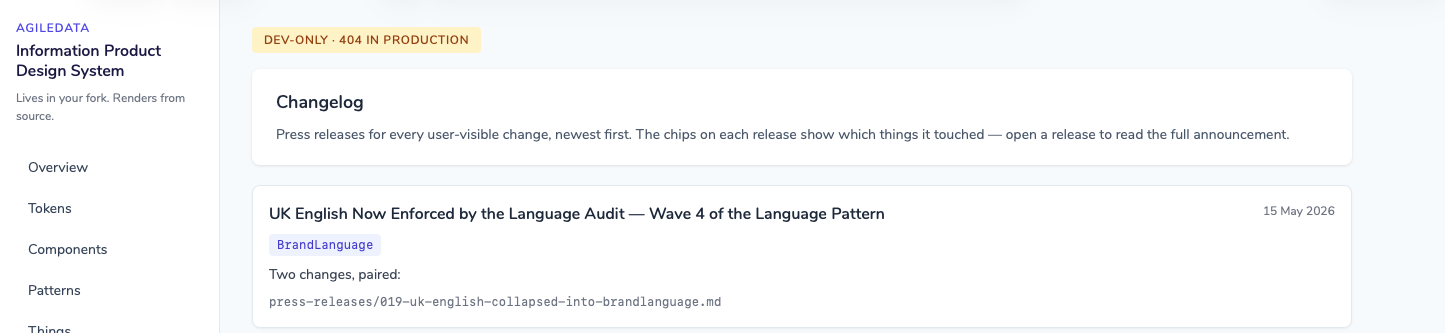

Dynamic Context not Static Documentation
In the past these Design System websites would be static, i.e they would be generated and then hosted so the AgileData Network partners could view them at will.
But that always took effort to keep it up to date.
Yes I could automate that refresh each time I get Claude Code to iterate the design system, but given how often I am iterating it at the moment just to get to “BI tablestakes” (that is a whole nother article) it will burn tokens constantly updating it, and there would always be those times where Claude Code will “forgot” to update it.
So applying our “Context not Code by Default” principle, I have embedded the capability to generate the Design System into the Design Systems / Information Product templating system itself.
What this means is when an AgileData Network partner wants to see the latest version of the Design System they just ask Claude Code to generate it. Claude will then read the Design System, generate a standalone localhost app and the partner can explore it to their hearts content.
That way it is always up to date, as it is generated when it is needed using the Context that is current.
(and it uses the AgileData Network partners Claude Code tokens, not mine …. )
Iteration One Done
This is just the first iteration of the Design System.
Now we need to test it for a while with our AgileData Network partners and prove it actually makes their lives easier and what we need to change.
Information Product Canvas Workshop
“That’s not what I wanted.”
“But that’s what you asked for.”
Shane runs a 6 hour workshop on the Information Product Canvas, a repeatable way to gather data requirements in 30 minutes. The approach he actually uses with stakeholders, not a textbook version that falls apart on contact with messy data and vague requirements.
He runs it regularly.
Latest dates : Gather data requirements in 30 minutes using a shared language
Workshop details : https://maven.com/agiledataguides/info-prod