
The Medallion “Architecture” is a good thing
Because it has made conversations around Layered Data Architectures cool again.
But as far as a Data Architectures go it is a pretty light one (maybe thats why it has been so popular).
When you talk about what goes in your Silver layer, and I talk about what goes in my Silver layer, i’m never sure we are talking about the same thing or if we are talking at cross purposes.
And its not all the Medallion Architectures fault, when I ask you what layer you conform your data, you probably describe “conforming data” differently to me.
Time for an Agile Data Guides Pattern Template
So as I tend to do, after I have chunted about this problem for a while, I then look to see how I might solve it.
And in this case I decided that an Pattern Template would be the best way.
Agile Data Guides - Data Architecture Layers Pattern Checklist
So over the past few months I have been iterating and testing the Pattern Template and have got it to the stage that I want to share it widely and get some more feedback.
The template is currently a Google Sheet, as that was the easiest way for me to iterate it.
You can browse this version, you will need to copy it if you want to actually use it.
The Pattern Template is open source so feel free to grab it, use it, abuse it, change it, do what ever is needed to get value from it.
Sharing is Caring
Any feedback on what was useful, what was pants and what I should add or change next is always appreciated.
Quick Overview of the Template
Instructions
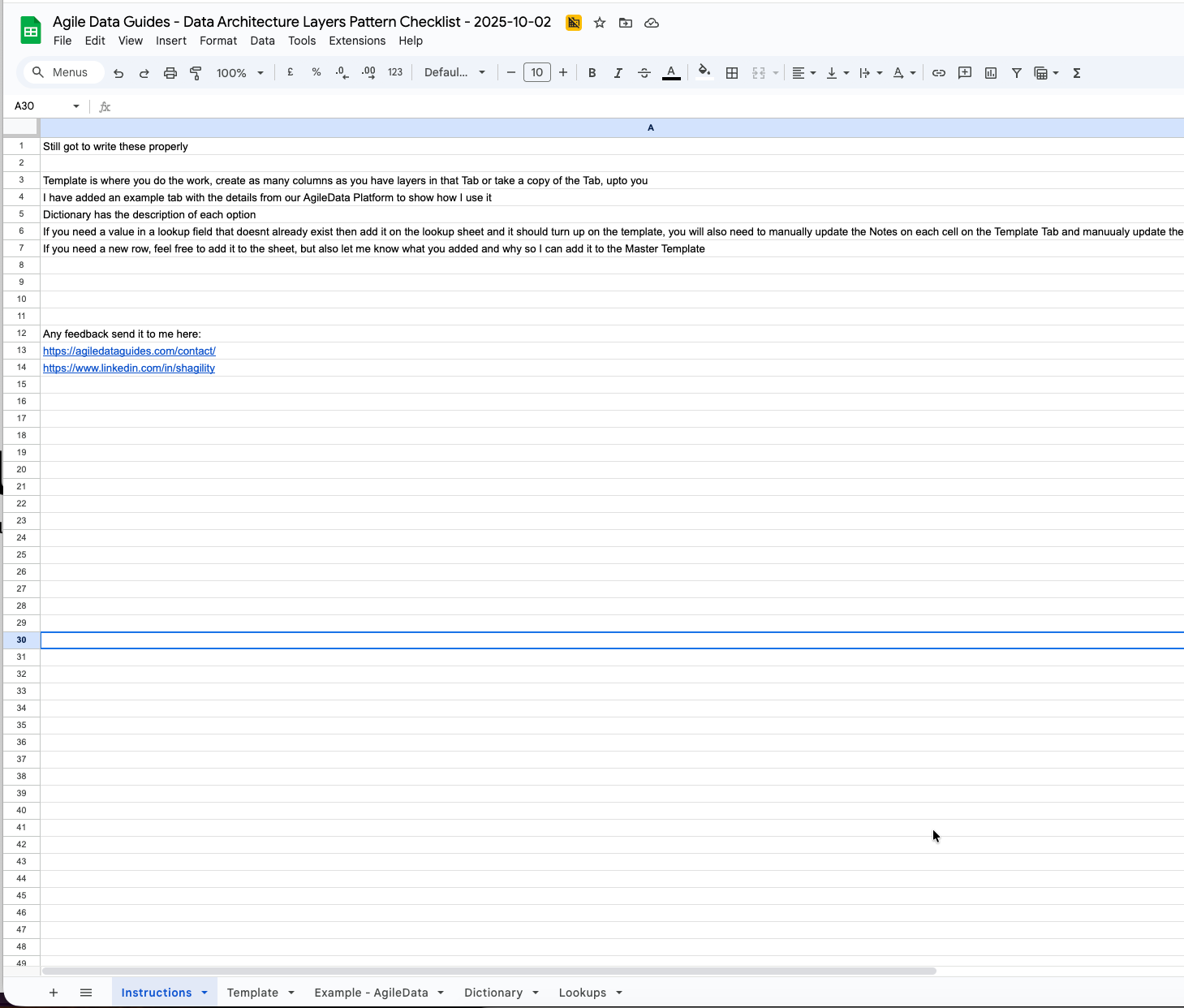
The Instructions tab is a quick and very rough overview
Template
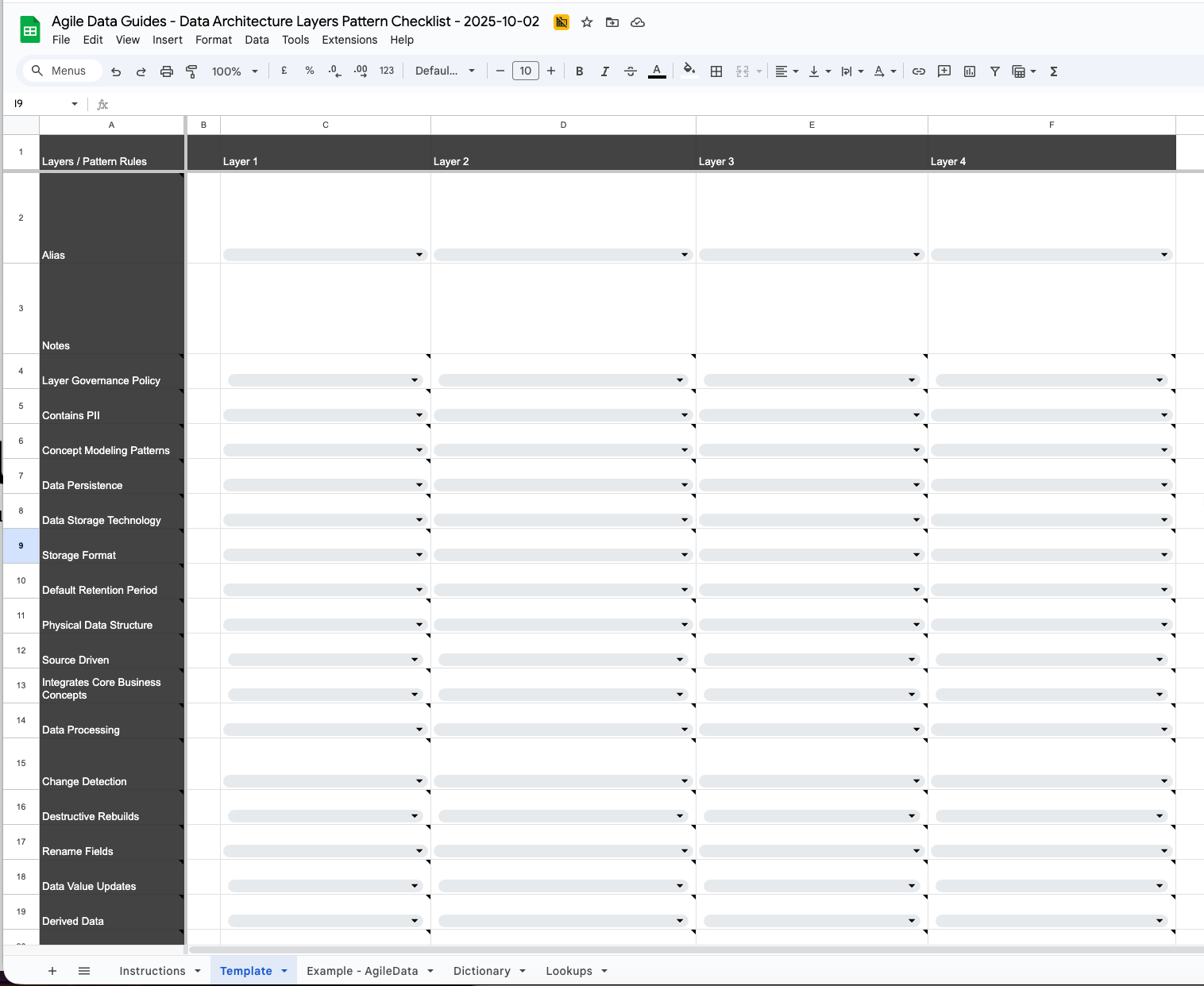
The Template tab is where you do the busy work, I suggest you copy it to a new tab and call it what ever your Data Platform for Organisation is.
If your a Consultant, create a separate Google Sheet or a separate tab for each Organisations you work with.
Define your layers
First step on the Template tab is to define your Data Layers.
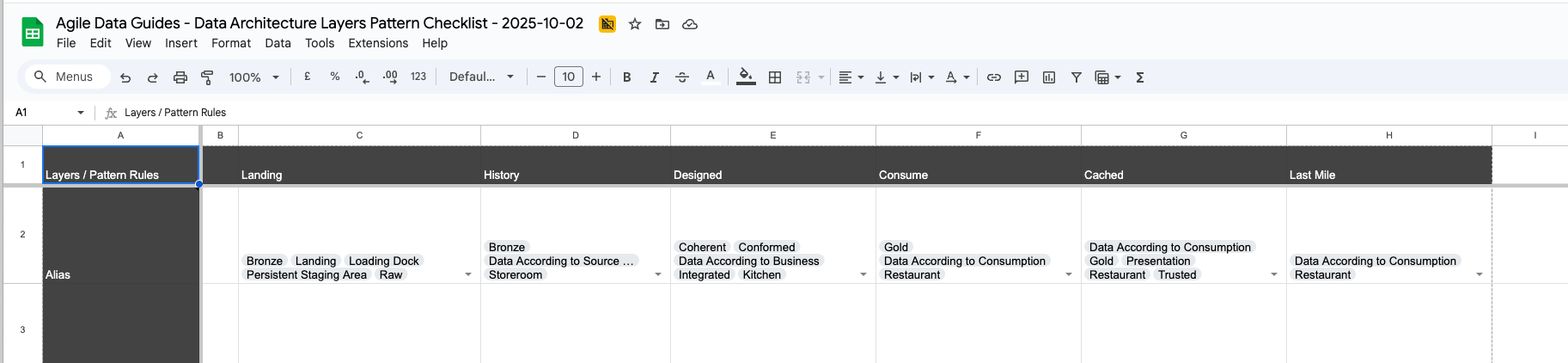
The Template has 4 layers give them names, you can use Bronze, Silver, Gold etc or any other names you use internally.
Here is what we use for our AgileData Platform.
If you need more Layers, then copy a Column and paste it right, make sure you copy all the lookup cells in each row.
If you hover over a row heading you will see a short description of what Principle, Policy or Pattern that row is defining.
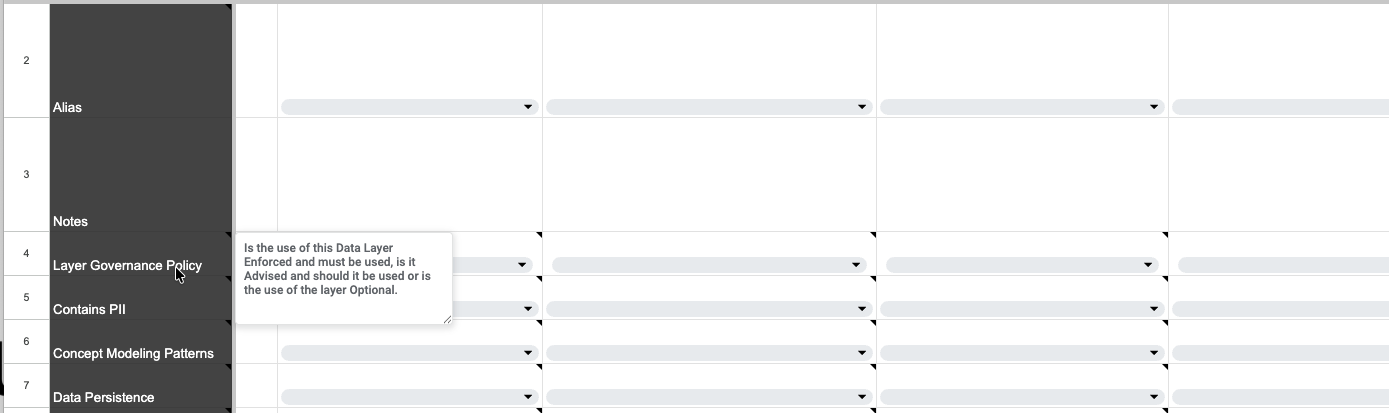
Click on the drop down in the Cell for that Row and Layer and you will get a list of Options.
Select one or many of those options up to you.
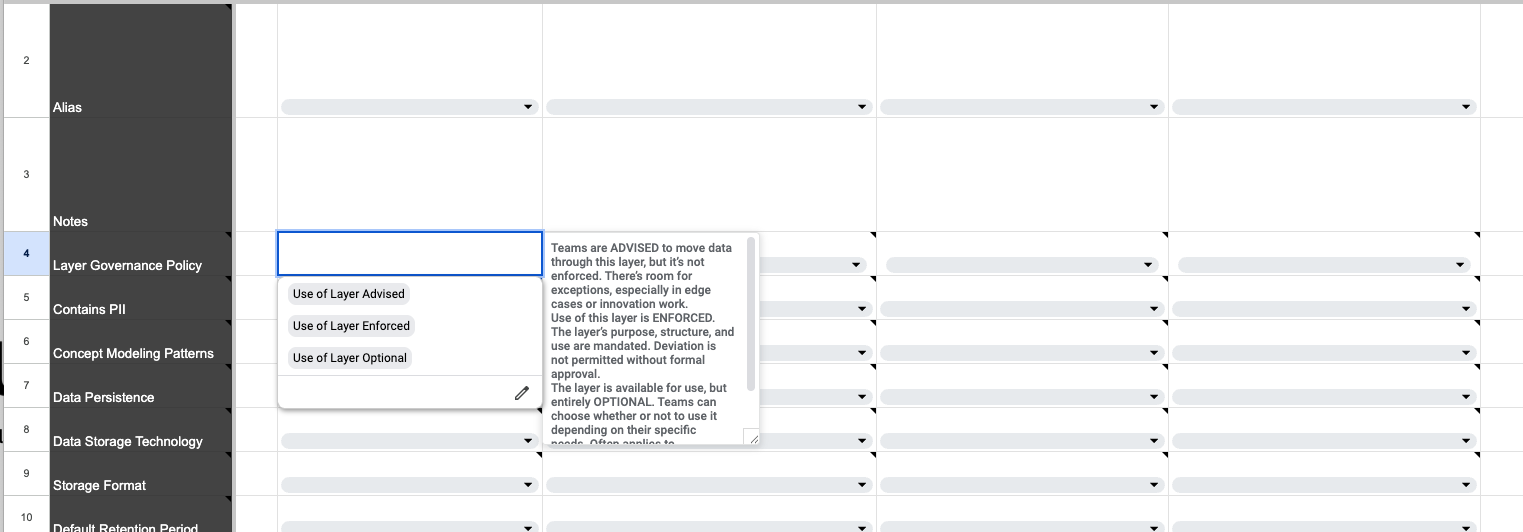
This then sets the rules for that Principle, Policy or Pattern for that Layer.
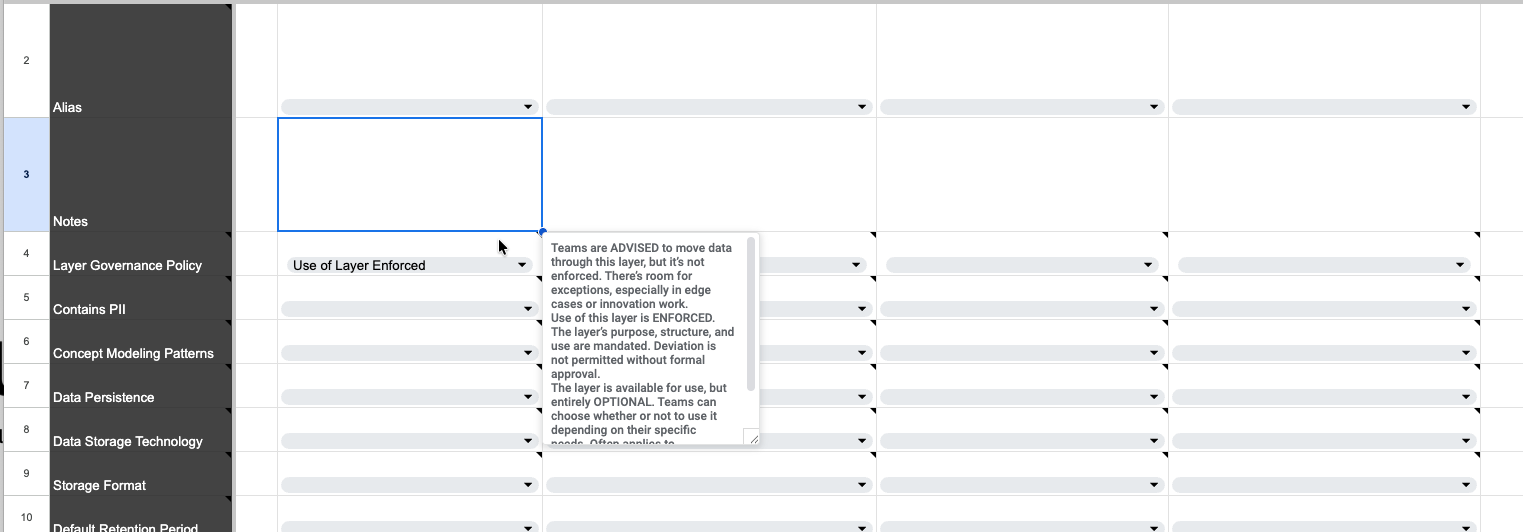
The value of the Pattern Template is being able to see what is defined in each layer and more importantly see the differences between the layers.
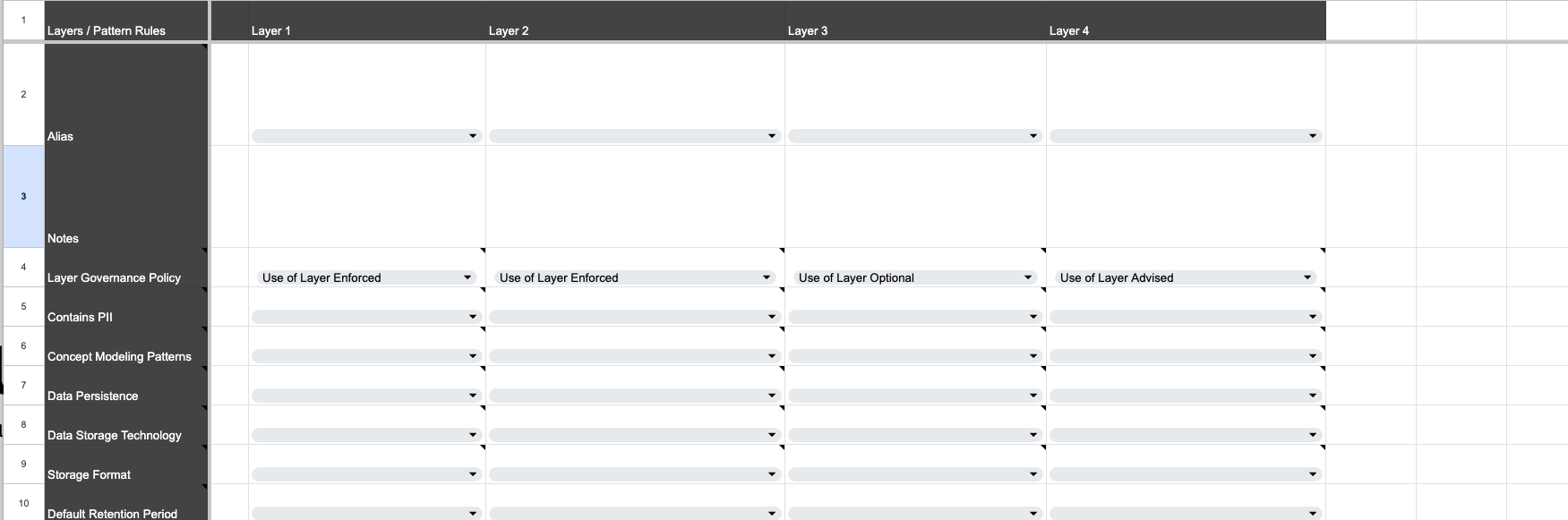
Rinse and repeat for each row and layer until you have a populated template.
Example - AgileData
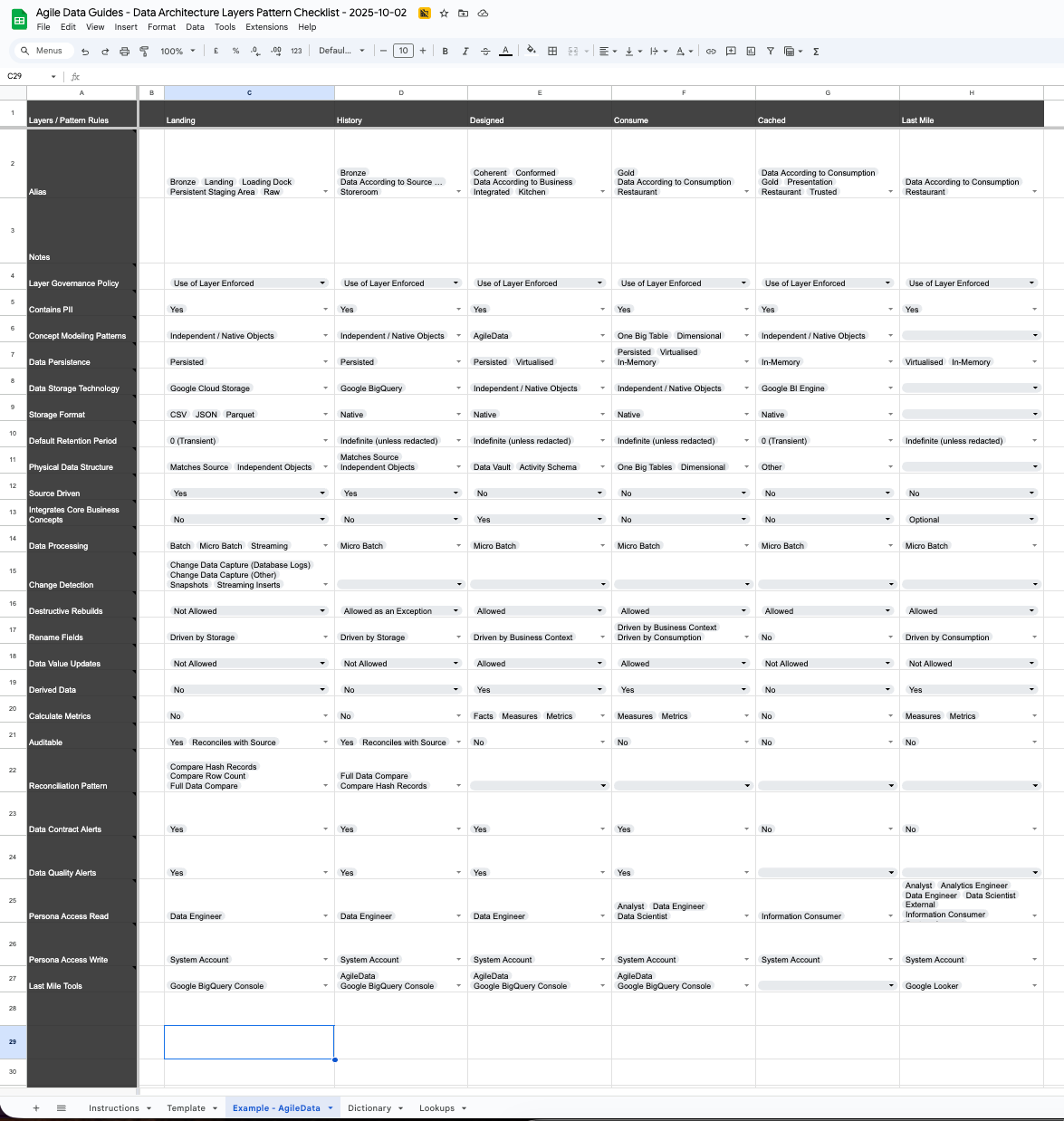
The Example - AgileData tab has an example of a completed template based on our AgileData Platform.
I use this to test the template as I iterate it.
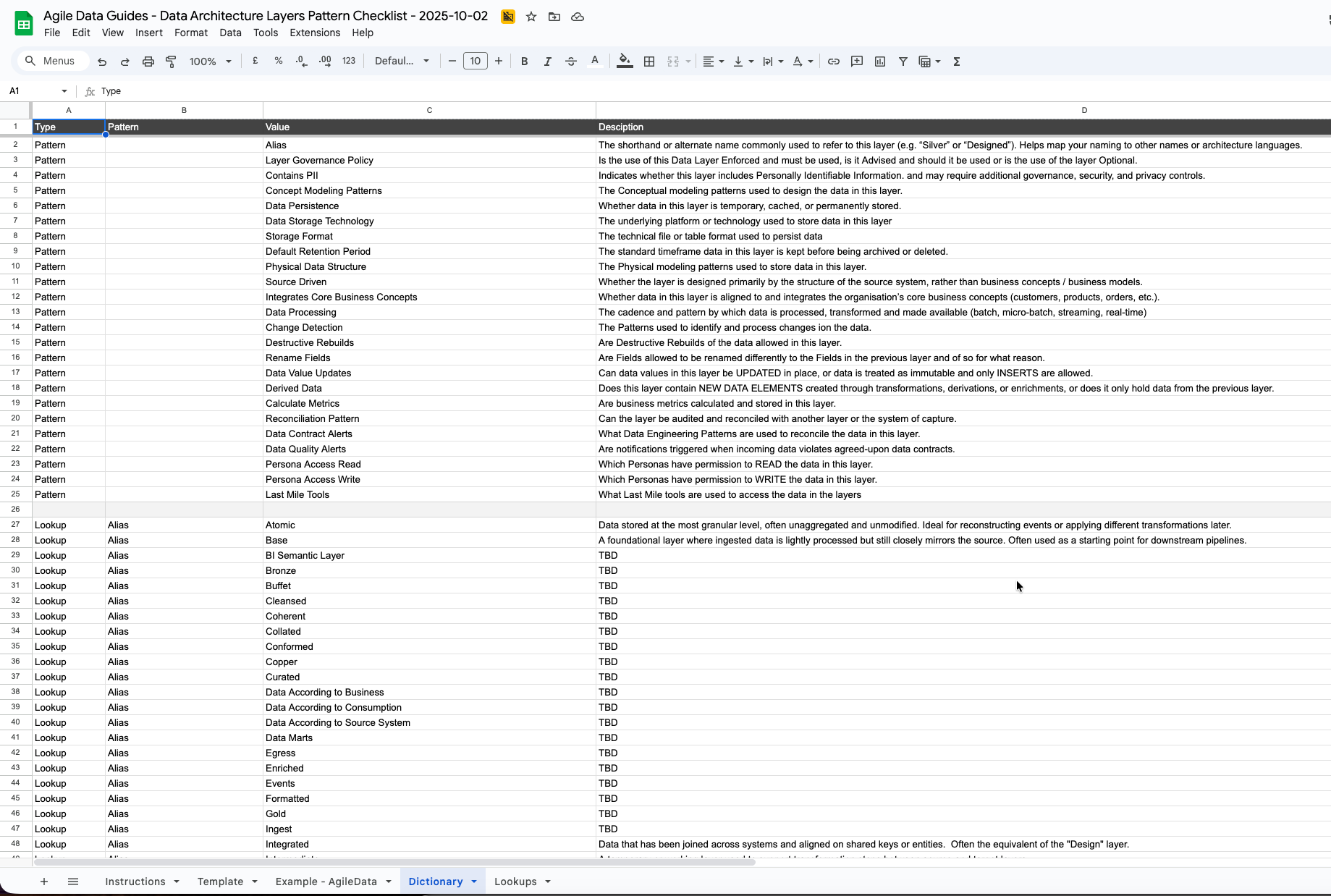
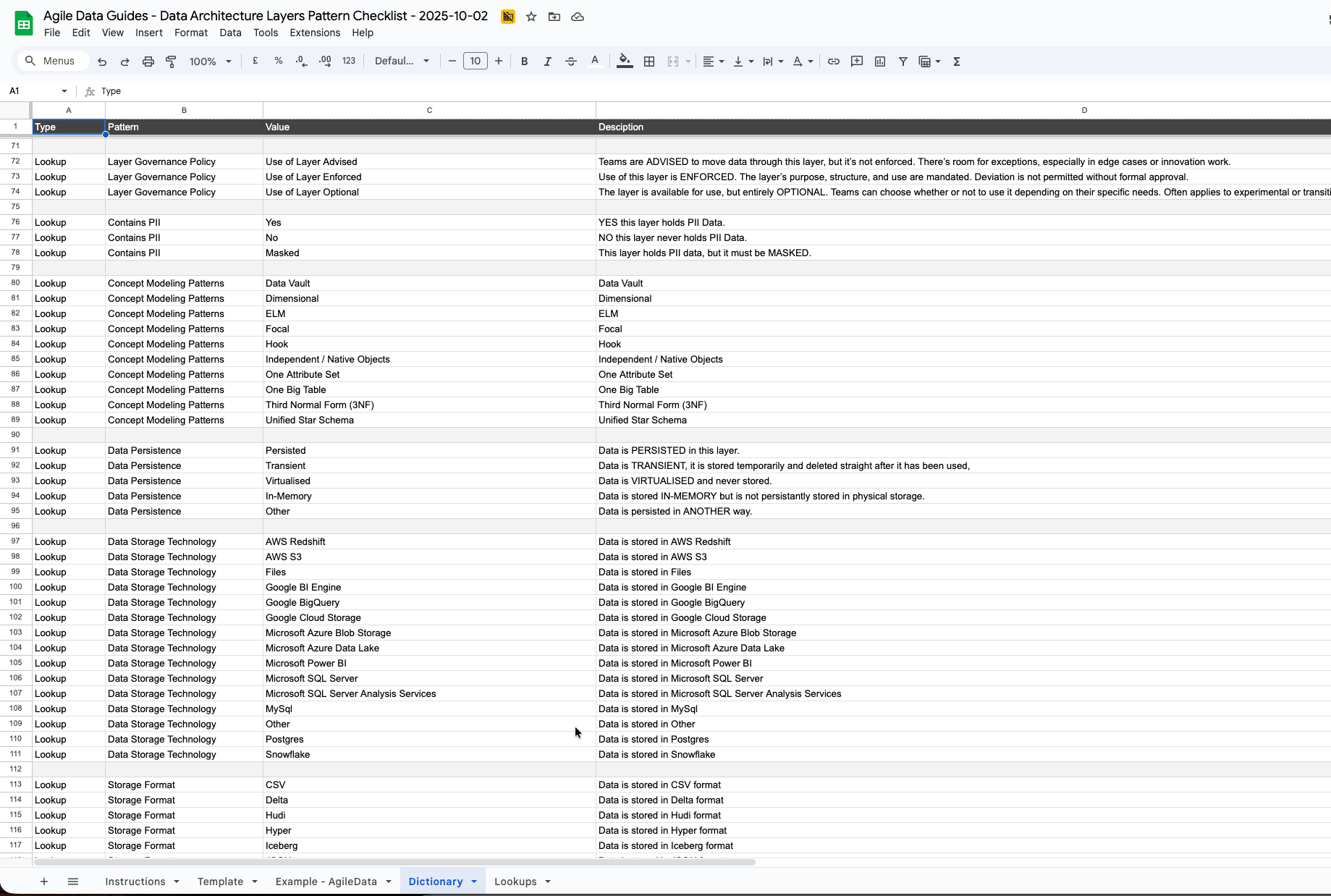
Dictionary
The Dictionary tab reads from the Lookup tab.
It gives you a Description for each row and for each value that is available in that row.
These need work, reach out if you want to help iterate them to make them clearer.
Lookups
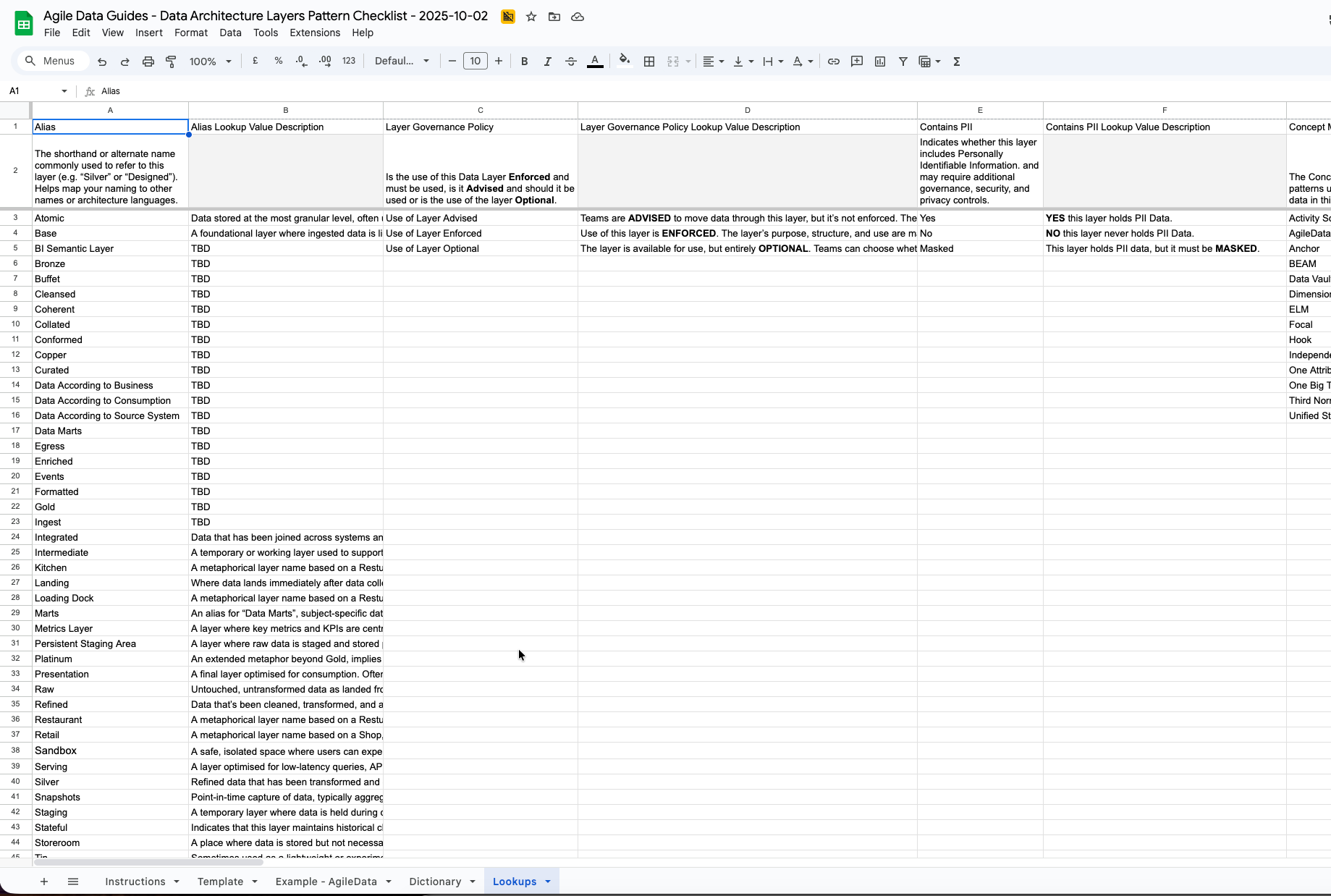
The Lookups tab us where I have defined the Vlaues and their Descriptions that are used in the Template tab.
Iterating the Pattern Template
More Lookup Values
Feel free to add your own Lookups to the Lookups tab.
If you add a lookup value below the other values it should turn up on the Template tab automagically.
But you will need to manually add it to the Dictionary tab. That tab is formula driven so just copy the formulas from another row and edit them.
Notes
The notes on the Template tab are manually copied and pasted from the Lookups tab as I haven’t spent any time working out how to automate that in Google Sheets.
So if you change anything you will need to manually copy and paste those.
Next steps
I will keep iterating the Pattern Template based on feedback and as I test it with more Data Teams and Organisations.
I am also keen to move it to a App to make it easier to maintain.
That App will need to be open source / free as in no pay wall to use.
If your keen to develop this with me, feel free to reach out.